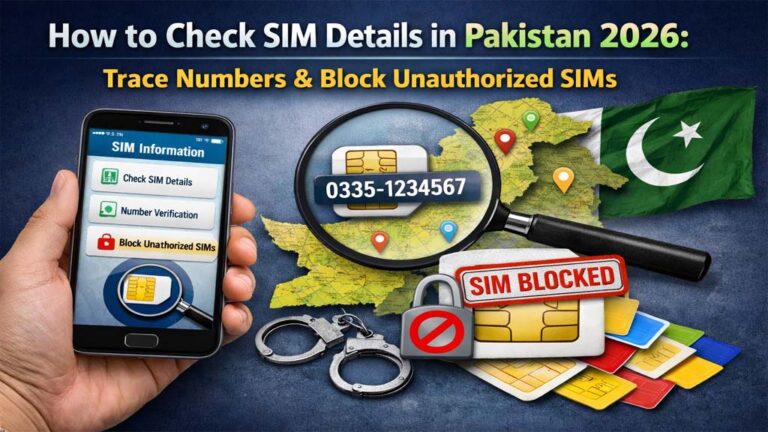
Pak Sim Owner Details 2026: Check SIM Information Online

In the digital landscape of Pakistan in 2026, staying informed about your mobile identity is more critical than ever. Whether you are dealing with unknown spam calls or verifying your registered mobile connections, knowing how to access Pak SIM owner details quickly and safely is a vital skill. This guide provides the most updated methods, official PTA codes, and online portals to manage your SIM data effectively.
Why You Need to Check SIM Owner Details in 2026
With the rise of 5G technology in Pakistan and increased digital transactions, your mobile number is directly linked to your financial and social identity. Unauthorized SIMs registered on your CNIC can lead to:
- Security Risks: Misuse of your identity for illegal activities.
- Financial Fraud: Unauthorized access to mobile banking and OTPs.
- Regulatory Compliance: Exceeding the PTA limit for SIMs per CNIC.
How to Check SIM Owner Name by Mobile Number
If you receive a call from an unknown number and want to identify the caller, here are the most reliable methods available in 2026.
Using the 667 SMS Service (Official)
This is the most authentic way to find the owner’s name and CNIC of the SIM currently inside your phone.
- Open your messaging app.
- Type MNP and send it to 667.
- You will receive a reply containing the Owner Name, CNIC Number, and Activation Date.
Online SIM Trackers and Databases
Many third-party websites offer “Live Tracker” services. While these can provide quick data, always be cautious about privacy.
Check Number of SIMs Registered on Your CNIC (PTA 668)
The Pakistan Telecommunication Authority (PTA) provides a centralized system to check how many SIMs are active under your identity.
Method A: SMS to 668
- Go to your SMS menu.
- Enter your 13-digit CNIC number (without dashes).
- Send it to 668.
- Cost: Standard SMS charges apply.
- Result: You will get a breakdown of active SIMs on Jazz, Telenor, Zong, Ufone, and SCOM.
Method B: PTA SIM Information System (Web Portal)
Visit the official PTA SIM Information Website. Simply enter your CNIC number and complete the Captcha to see a visual table of your registered SIMs.
Network-Specific Codes for SIM Verification 2026
Each network provider has its own USSD codes for quick verification:
| Network | Code to Check Number/Owner |
| Jazz | Dial *99# or *444# |
| Telenor | Dial *7421# or SMS “7421” |
| Zong | Dial *100# or *8# |
| Ufone | Dial *1# |
| Onic | Use the Onic App |
How to Find SIM Location and Address
In 2026, advanced SIM Tracker tools can help you identify the district or city of a mobile number based on the registration data available in public directories.
Note: Accessing exact live GPS locations is restricted to law enforcement agencies for security reasons. However, general registration addresses can often be found via updated 2026 SIM databases.
Protecting Your Identity: Dealing with Unauthorized SIMs
If you find a SIM registered on your CNIC that you don’t recognize:
- Visit the Franchise: Go to the nearest Customer Service Center of that specific network.
- Biometric De-registration: Provide your thumbprint to block the unauthorized number immediately.
- PTA CMS App: Use the PTA “Complaint Management System” app to report identity theft.
Advanced Tracking: Understanding the 2026 SIM Database System
In 2026, the Pak SIM Database has undergone significant updates. It is no longer just a list of names; it is a dynamic system integrated with NADRA’s multi-biometric verification.
What is a Live Tracker?
A Live Tracker is an online tool or application that accesses public data repositories to find information about a specific mobile number. While the government provides official SMS codes, these trackers are popular because they often show:
- Registration City: The exact district where the SIM was first issued.
- SIM History: Whether the number has been ported (MNP) from one network to another (e.g., Jazz to Zong).
- Other Linked Numbers: Sometimes, these databases show other mobile numbers registered under the same CNIC, which helps in identifying a person’s complete digital footprint.
How to use SimOwnerPk or Live Tracker Online
Most users in 2026 prefer web portals like simownerpk.com or livetracker.org.pk. To use these effectively for high-accuracy results:
- Format the Number: Always enter the 11-digit number without the leading zero (e.g., 3001234567 instead of 03001234567).
- CNIC Search: If you have a CNIC number, you can reverse-search to find all active mobile numbers linked to that ID.
Network-Wise Detailed Verification (Updated 2026)
Every telecom giant in Pakistan Jazz, Telenor, Zong, and Ufone has upgraded its security protocols. Here is the deep dive into each:
Jazz (Mobilink) Owner Details
As the largest network, Jazz has the most robust verification system.
- *The 99# Method: This is the quickest way to see your own number on the screen.
- Jazz World App: By logging into the app, you can see the exact name and CNIC partially hidden for security, but enough to verify the owner.
- WhatsApp Support: You can now message Jazz’s official WhatsApp number to get basic account information after verifying your identity via OTP.
Zong 4G/5G Information System
Zong is leading the 5G race in 2026.
- SMS to 7911: Sending an empty SMS or “V” to 7911 can often provide registration details for Zong users.
- Zong SIM Registration: For new SIMs, Zong requires a “Multi-Finger Biometric” check, making it nearly impossible for someone to use your CNIC without your presence.
Telenor and Ufone Verification
- Telenor: Use the code
*7421#. You will receive an SMS with your details. - Ufone: Dial
*1#to check your number. For owner details, Ufone users are encouraged to use the “My Ufone” app, which provides a comprehensive dashboard of all numbers under one CNIC.
The Role of PTA and NADRA in 2026
The Pakistan Telecommunication Authority (PTA) and NADRA have launched the “Nishan Pakistan” platform in 2026. This is a unified digital gateway.
SIM Limits per CNIC
According to the latest 2026 regulations:
- Voice SIMs: A maximum of 5 active voice SIMs are allowed per CNIC.
- Data SIMs: You can have up to 3 dedicated data SIMs (like MBB devices).If your count exceeds 8 total connections, PTA’s DIRBS system will automatically flag and potentially block the most recently activated numbers until you visit a franchise for “SIM Disowning.”
Biometric Re-verification (MBVS)
If you have an old SIM (registered before 2015) that hasn’t been biometrically verified, 2026 is the deadline. PTA is systematically blocking unverified numbers to curb “Grey Traffic” and “Identity Theft.”
Legal Landscape: PECA 2016 and Your Privacy
It is crucial to understand the legalities of searching for Pak SIM owner details.
- The Right to Information: You have every legal right to check SIMs registered on your own CNIC.
- Privacy Violations: Accessing someone else’s private data without their consent is a criminal offense under the Prevention of Electronic Crimes Act (PECA) 2016.
- Punishment: Unauthorized access to personal databases can lead to up to 3 years of imprisonment and heavy fines (up to PKR 1 Million).
Protecting Yourself from SIM Swap Fraud
A major threat in 2026 is SIM Swapping. This is where a hacker convinces a mobile operator to issue a “duplicate” SIM of your number.
Signs of a SIM Swap:
- Sudden Signal Loss: Your phone suddenly says “No Service” even in a high-coverage area.
- Notification of Password Changes: You receive emails about password resets you didn’t request.
How to Stay Safe:
- Use 668 Regularly: Check your SIM count once a month.
- Biometric Only: Never share your thumbprints on “local paper forms” or with unauthorized agents. Always use a proper MBVS machine at an official franchise.
- PIN Protect your SIM: Go to your phone settings and enable a “SIM PIN.” This prevents the SIM from working in another phone without the code.
The Future of Mobile Identity in Pakistan
As we move further into 2026, the link between your mobile number and your Digital ID (PakID) will become inseparable. Checking Pak SIM owner details is no longer just about curiosity it is a mandatory part of “Digital Hygiene.” By using the official PTA codes (668, 667) and staying informed through reliable trackers, you can protect your financial accounts and personal reputation from the growing threats of the digital age.
| Task | Method / Code |
| Check All SIMs on CNIC | SMS CNIC to 668 |
| Check Active SIM Owner | SMS “MNP” to 667 |
| Verify Jazz Number | Dial *99# |
| Verify Telenor Owner | Dial *7421# |
| Official PTA Portal | cnic.sims.pk |
| Complaint for Illegal SIM | Call 0800-55055 |
Conclusion
Staying vigilant about your mobile registration is essential in 2026. By using official PTA services like 668 and 667, you can ensure that no unauthorized person is using your identity. Always prefer official channels over unverified third-party apps to keep your personal data secure.