How to Check Zong SIM Owner Name Online Free 2026 (100% Working)
How to Check Zong SIM Owner Name Online Free 2026 (100% Working) In mobile identity is more than just a convenience it is a critical component of your legal and digital security in Pakistan. With the Pakistan Telecommunication Authority (PTA) enforcing stricter biometric regulations and the Multi Random Finger Biometric Verification System (MBVS), knowing exactly who owns a SIM card is essential.
How to Check Zong SIM Owner Name Online Free 2026
Whether you have found an old Zong SIM, are verifying a second-hand connection, or protecting yourself from identity theft, this guide covers every official, free, and legal method to check Zong SIM owner details.
The Importance of SIM Ownership Verification in 2026
Before we explore the technical steps, it is vital to understand why the PTA insists on SIM to CNIC mapping. In the current legal landscape governed by the Prevention of Electronic Crimes Act (PECA) 2016, an unregistered or wrongly registered SIM is a significant liability.
Why You Must Verify Ownership:
- Legal Protection: If a SIM registered in your name is used for illegal activities (fraud, harassment, or grey traffic), you are the primary suspect.
- Biometric Compliance: All SIMs issued before 2015 must be re-verified via MBVS. Failure to do so leads to automatic blockage.
- Banking & OTPs: Most Pakistani banks and government apps (like FBR or NADRA) link your digital identity to your mobile number. If the SIM isn’t in your name, you lose access to these services.
- Fraud Prevention: Checking your SIM count prevents ghost SIMs numbers registered on your CNIC without your knowledge.
For real-time tools and updated database insights, you can always refer to simdetailss.com to stay ahead of registration requirements.
Method 1: Check via SMS Code 667
The most reliable way to identify the owner of a Zong SIM currently in your possession is the 667 SMS service. This method fetches data directly from the Zong MNP (Mobile Number Portability) database.
Step-by-Step Instructions:
- Insert the Zong SIM into a mobile phone.
- Open the Messaging App.
- Create a new message and type MNP.
- Send this message to 667.
- Within seconds, you will receive a reply containing:
- Owner Name: The full name registered with NADRA.
- CNIC Number: Usually masked (e.g., 35201-XXXXXXX-1) for privacy.
- Activation Date: When the SIM was first biometrically verified.
Pro Tip: This service is generally free, though some older packages may charge a standard SMS fee of Rs. 1.50 + tax.
Method 2: The PTA SIM Information System (668 & Web)
If you want to know how many Zong SIMs (and other networks) are registered against your CNIC, the PTA offers two official channels.
Via SMS 668:
- Type your 13-digit CNIC number (without any dashes or spaces).
- Send it to 668.
- You will receive a breakdown of all active SIMs registered to your identity across Zong, Jazz, Telenor, Ufone, and SCOM.
Via Official Web Portal:
- Visit cnic.sims.pk.
- Enter your CNIC number.
- Pass the I am not a robot Captcha.
- Click Submit.
- A table will appear showing the exact count of voice and data SIMs registered to you.
Method 3: Using the “My Zong” App
For a modern, visual way to manage your Zong connection, the official app is the best tool.
How to use it:
- Download My Zong App from the Google Play Store or Apple App Store.
- Enter your Zong number and log in via OTP.
- On the dashboard (Home Screen), your Registered Name will be displayed at the top.
- Navigate to Menu > Profile to see your registered CNIC digits and the current status of your biometric verification.
Method 4: Checking via Zong USSD Code (*310#)
If you do not have an internet data plan, you can use Zong’s internal Self-Care menu.
- Dial *310# from your Zong SIM.
- Reply with the number corresponding to “My Account”.
- Select Customer Profile or Owner Details.
- The network will send a flash message or SMS with the registration info.
How to Identify Unknown Zong Callers (Third-Party Tools)
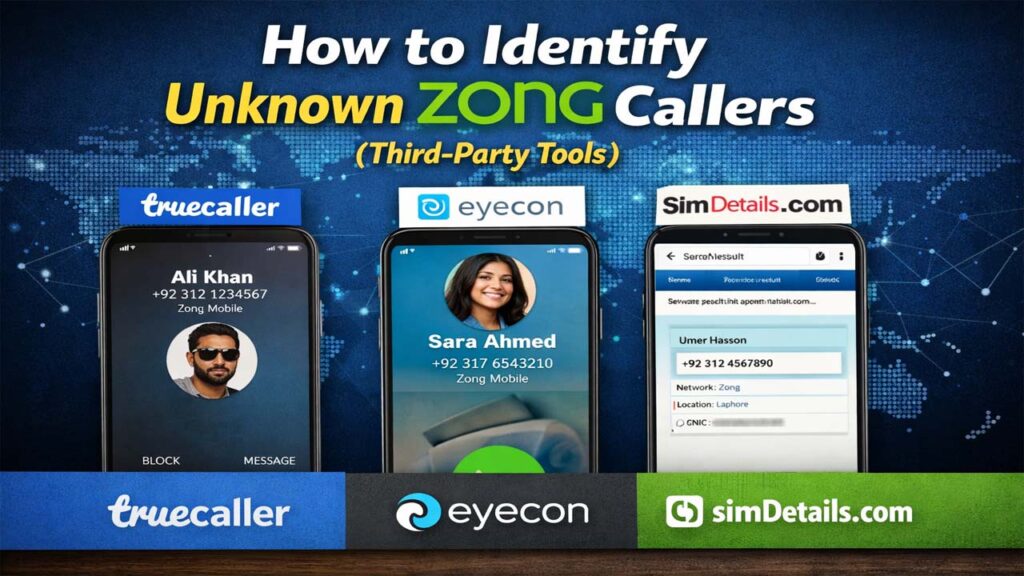
What if the SIM isn’t in your phone? If you’re being called by an unknown number, you can’t use 667. Instead, use these community-based databases:
- Truecaller: The world’s largest crowdsourced directory. It shows the name most people have saved for that specific number.
- Eyecon: Excellent for seeing the social media profile or picture associated with a Zong number.
- SIM Details Portals: Websites like simdetailss.com often provide updated guides and links to tools that help verify SIM authenticity and registration status in 2026.
Understanding the Legal Limits (PECA 2016 Compliance)
It is important to remain within the law. In Pakistan, accessing the private data of another person without their consent is a criminal offense under PECA 2016.
- Authorized Access: Checking your own SIM or a SIM you physically possess (via 667) is legal.
- Unauthorized Access: Using leaked databases or SIM trackers to find the address or location of a stranger can lead to fines up to Rs. 1 million and imprisonment.
Quick Reference for Zong Users (2026)
| Task | Action | Result |
| Check Current SIM Owner | SMS MNP to 667 | Name & Masked CNIC |
| Check Total SIMs on CNIC | SMS CNIC to 668 | Count per operator |
| Check Zong Specific Info | Dial *310# | Account & Profile details |
| Online Verification | Visit cnic.sims.pk | Full SIM list |
| Digital Management | Use My Zong App | Visual Profile & Balance |
FAQs
Can I check Zong SIM owner name by number only?
Officially, no. You must either have the SIM (667) or know the CNIC (668). Third-party apps like Truecaller provide a best guess based on contact lists, but they are not 100% official records.
How many SIMs can I own in 2026?
According to the latest PTA policy, a single CNIC holder can have a maximum of 5 voice SIMs and 3 data/broadband SIMs.
What should I do if a SIM is registered in my name without my consent?
You must visit a Zong Franchise or Customer Service Center (CSC) with your original CNIC. Request a SIM Disowning form. The SIM will be blocked and removed from your record within 24 hours.
Is there a free online SIM tracker with location?
No. Live GPS tracking is only available to law enforcement agencies for security reasons. Any website promising Live Location for free is likely a phishing scam or a malware risk.
Troubleshooting Common Issues
- 667 Not Responding: This happens if your SIM has a zero balance or is “Out of Service.” Ensure the SIM is active and has at least Rs. 2 balance.
- Incorrect Name in My Zong App: This occurs if the SIM was transferred but the app cache hasn’t updated. Log out and log back in.
- CNIC Not Recognized: If 668 says your CNIC is invalid, visit a NADRA office to ensure your ID hasn’t expired.
Conclusion:
Checking your Zong SIM owner name is a simple task that prevents massive future headaches. By using official codes like 667 and 668, or the My Zong App, you ensure that your digital identity remains untainted.
For the latest updates on Zong packages, SIM verification tools, and telecommunication news in Pakistan, keep simdetailss.com bookmarked. Your security is your responsibility verify your SIMs today!