Zong SIM Owner Details Online by CNIC 2026: Check Full Info Now!
Zong SIM Owner Details Online by CNIC 2026: Check Full Info Now!, Managing your mobile connections in 2026 has become more critical than ever. With the rise of digital banking and biometric security in Pakistan, knowing exactly which SIM cards are registered under your name is a matter of personal security. If you are a Zong (CMPak) user or are planning to get a new connection, this comprehensive guide will walk you through every official method to check Zong SIM owner details online by CNIC for 2026.
Whether you’ve lost a SIM, want to verify your registration status, or are curious about the number of active connections on your identity card, we have covered all the legal and updated paths provided by the Pakistan Telecommunication Authority (PTA).
Why You Must Verify Your Zong SIM Details in 2026
In 2026, your CNIC (Computerized National Identity Card) is the gateway to your digital life. Every SIM registered on your CNIC can potentially be used for:
- Biometric Verification: Linking your phone to your bank accounts.
- Legal Accountability: You are legally responsible for any activity conducted through a SIM registered in your name.
- Security: Preventing identity theft where fraudsters might use your CNIC to activate illegal SIMs.
Regularly checking your status at www.simdetailss.com or official PTA portals ensures you stay ahead of any unauthorized usage.
How to Check Zong SIM Count via PTA Website (Free)
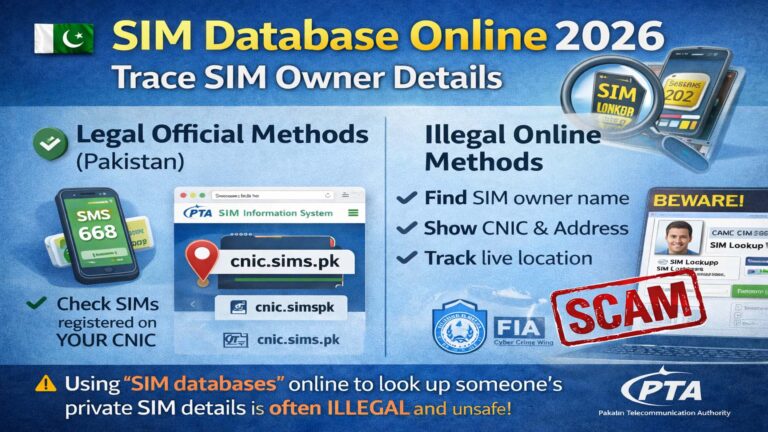
The most reliable way to see a bird’s eye view of all SIMs registered on your CNIC (including Zong, Jazz, Telenor, and Ufone) is the official PTA SIM Information System.
Step by Step Guide:
- Visit the Portal: Go to the official PTA SIM Information Website.
- Enter CNIC: Type your 13-digit CNIC number without any dashes or spaces (e.g., 3520112345671).
- Human Verification: Complete the CAPTCHA I’m not a robot security check.
- Submit: Click the Submit button.
- View Results: A table will appear showing the total number of SIMs registered against your CNIC for each operator. Under the Zong column, you can see how many active data and voice SIMs you currently own.
Zong SIM Owner Details Online via SMS (Code 668)
If you don’t have an active internet connection, you can use the PTA’s universal SMS service. This is the fastest way to get your registration count on your mobile screen.
- Process: Open your SMS app and type your 13 digit CNIC (without dashes).
- Shortcode: Send this message to 668.
- Response: You will receive a reply within seconds listing the count of SIMs for all networks.
- Charge: Standard SMS charges (approx. 2 PKR + tax) apply.
How to Find Owner Name of a Specific Zong SIM (Code 667)
While the 668 service gives you the count, the 667 service helps you identify the Owner Name and CNIC number of the specific SIM card currently inside your phone.
Instructions:
- Insert the Zong SIM you want to check into a mobile phone.
- Compose a new message and type MNP.
- Send the message to 667.
- The Result: You will receive a reply containing:
- The Owner’s Name.
- The CNIC Number (partially masked for privacy).
- The Connection Type (Prepaid/Postpaid).
- The Activation Date.
Using the My Zong App for Ownership Details
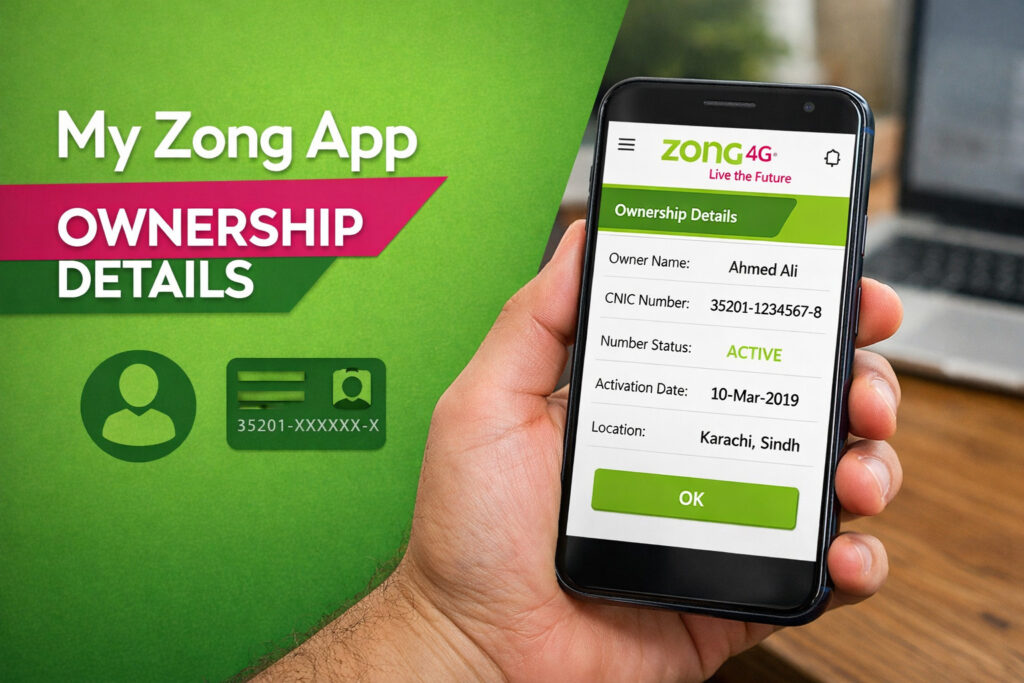
For a more modern experience, the My Zong App provides a personalized dashboard. This is the best way to manage Zong SIM owner details online without repetitive SMS codes.
- Download: Get the My Zong App from the Google Play Store or Apple App Store.
- Login: Enter your Zong number and verify via OTP.
- Profile Section: Tap on the Profile” or User Details icon.
- Information: Here, you can see the name of the registered owner and the CNIC associated with that specific number.
Zong SIM Information Check via Helpline (310)
If the automated systems are down, or you need deeper verification regarding a blocked SIM, you can contact the Zong Customer Care center directly.
- Dial 310 from your Zong number.
- Talk to a representative.
- Provide your CNIC number and answer a few security questions (like your mother’s name or place of birth) to verify ownership.
- The representative will then provide the registration details.
Frequently Asked Questions (FAQs)
How many SIMs can I register on my CNIC in 2026?
According to PTA regulations, a single CNIC holder can have a maximum of 5 SIM cards for voice and data combined. This includes all networks like Zong, Jazz, Telenor, and Ufone.
Can I check someone else’s Zong SIM owner details?
Legally, no. Privacy laws in Pakistan strictly prohibit accessing another person’s private data. You can only check details for the CNIC you physically hold or for the SIM card currently in your possession via the 667 method.
What should I do if a SIM is registered on my name without my permission?
If you find an unknown Zong SIM on your CNIC via the 668 check, you must:
Visit the nearest Zong Franchise or Service Center.
Provide your original CNIC.
Request a SIM De-registration/Blocking.
Provide your biometric thumb impression to confirm you are the rightful owner.
How do I change the ownership of a Zong SIM?
As of 2026, ownership transfer requires both the current owner and the new owner to visit a Zong Franchise with their original CNICs. Biometric verification for both parties is mandatory to complete the transfer.
Is there a free way to check Zong SIM details?
Yes, the website cnic.sims.pk is a free portal provided by the government. Using the 668 SMS service usually costs a small fee.
Comparison of Verification Methods 2026
| Method | Information Provided | Cost | Requirement |
| Website (sims.pk) | Total SIM count per network | Free | CNIC Number |
| SMS 668 | Total SIM count per network | ~2 PKR | CNIC Number |
| SMS 667 | Name, CNIC, Activation Date | Standard SMS | SIM must be in phone |
| My Zong App | Specific SIM Owner Details | Data Charges | Active Zong SIM |
| Helpline 310 | Detailed Account Info | Call Charges | Security Verification |
Summary
In 2026, staying informed about your Zong SIM owner details is not just a convenience it is a security necessity. By using the official PTA portal, the 668 and 667 short codes, or the My Zong App, you can easily maintain control over your mobile identity. Always ensure that any SIM card you use is biometrically verified in your own name to avoid service suspension or legal complications.
For more updates on SIM tracking and database information, keep visiting www.simdetailss.com.
Disclaimer: This article is for educational purposes only. Always use official and legal channels for SIM verification. Unauthorized access to data is a punishable offense under the PECA laws of Pakistan.